


 |
 |
 |
 |
 |
|
 |
 |
Part 7 – Accounting - 21 -
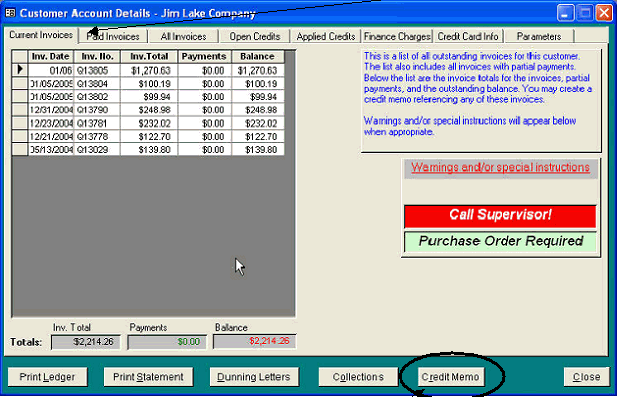
To access the credit memo function, first display the Customer form, and click the ‘Accounting’ button at the
bottom of the form. The customer’s Account Details will appear, with the Current Invoices tab selected.
Since this customer has outstanding (unpaid) invoices, the Credit Memo button is enabled. Select the invoice to be
credited (click your cursor anywhere on the desired invoice line) and then click the Credit Memo button. The
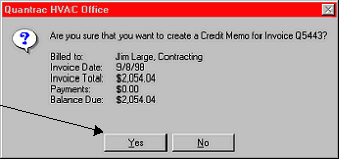
following form will appear.
Confirm that you have selected the correct
reference invoice, and that the displayed
information is correct. Click Yes to create the
credit memo.
Clicking the Yes button will produce the Credit Memo form (example on following page).
Note: If a credit memo for the full amount of the invoice revenue and tax (combined) already exists, the system
will not allow creation of another CM for that same invoice. This eliminates the possibility of accidental
duplication of credit memos.
|
 |
|