


 |
 |
 |
 |
 |
|
 |
 |
Part 5 – Other Features and Functions
-
9
-
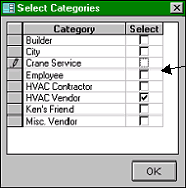
Using the mouse, click the cursor on the desired category check box, then, click the OK button.
This Select Categories form will appear.
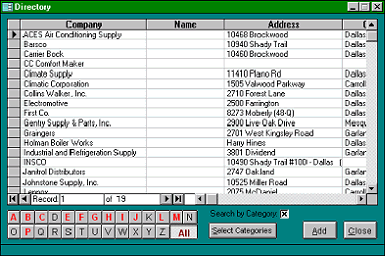
This list of all HVAC vendors will appear.
Select from the list by double-clicking on
the desired entry.
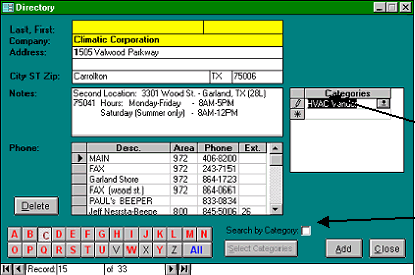
You may create and assign new
categories to any entry by simply typing
the new category in the blank at the end
You may assign as many categories to a
single directory entry as you wish. The
entry will be included in a list of any
searches which include one or more of
the categories assigned to that entry.
To search for all entries within a certain
category, click the “Search by Category”
check box.
You may click as many simultaneous
categories to search as you wish. The
system will find all directory entries that
match any of the categories selected. Here,
we have checked only one category, HVAC
Vendors. The system will present a list of all
directory entries that match the HVAC
|
 |
|