


 |
 |
 |
 |
 |
|
 |
 |
-
8
-
Part 5 – Other Features and Functions
In the pursuit of the paperless office, one of the early features of Quantrac 2005 is the ‘Directory’. This tool was
designed to replace the Rolodex, Card File, or Address Books. By having the Directory on your computer system
network server, it can be shared by all users on the network. This eliminates the task of making sure all mechanical
directories (i.e. Rolodex’s on each employee’s desk) are updated. NOTE: This is not where you save Customer
information.
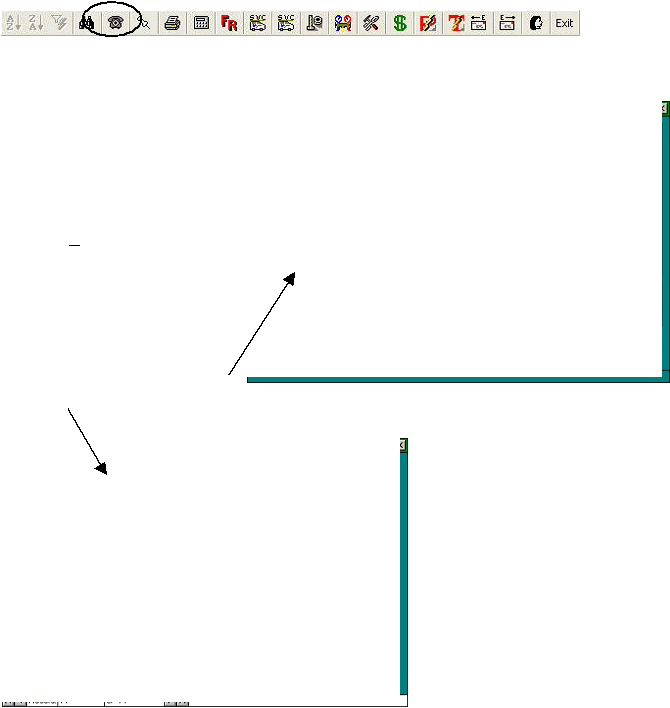
The Directory can be accessed by clicking the mouse on the button in the toolbar.
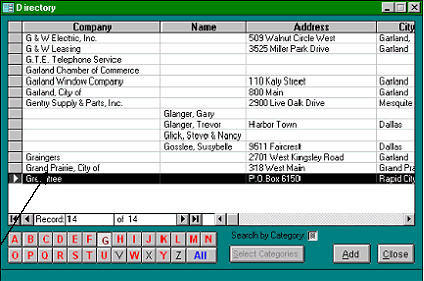
The Directory form will appear. You may view all entries (in alphabetical order)…or select any character.
Here, we have clicked on the ‘G’ (from
the alphabet selectors at the bottom right
of the form) to display all entries with
either a company name or individuals
with a last name beginning with G.
You may add a new entry (beginning
with any character) at this time by
clicking the Add button at the bottom
right. Upon closing the form, the new
entry will be sorted automatically into
the proper alphabet selector.
To view the information stored for any
entry in this list, simply double-click the
left mouse button on the appropriate
line.
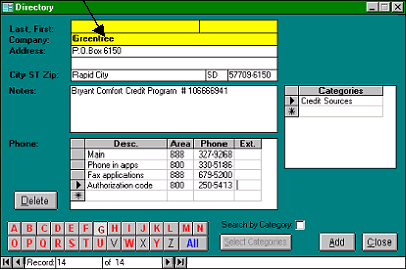
The Greentree entry was selected, causing this detail form to display all of your recorded data, phone numbers, etc.
for this entry.
Uses for the Directory include your
company employees, vendors, customers,
friends, etc. The directory is much quicker
and more reliable than the old Rolodex, and
it doesn’t consume any additional desk
space.
The Notes field is unlimited in length. You
may enter as much data as you like in this
field.
You may also enter groups or categories for each entry in your directory. For instance, on the following page I have
assigned an equipment distributor to the HVAC Vendor category. (you may assign any entry into several categories)
This entry is a local HVAC equipment and parts distributor; assigned to the HVAC Vendor category.
|
 |
|