


 |
 |
 |
 |
 |
|
 |
 |

-
30 - Part 7 – Accounting
Collections Logging
Instead of (or in conjunction with) Dunning Letters, you may wish to simply call or visit your customers to attempt
to obtain payment for past-due invoices. Quantrac 2005 has a method for you to log those communications with
each invoice so that follow-up communications can be made and can reference previous attempts to collect.
From you Aged Receivables report (or any other path), you can obtain the invoice number of any past-due invoice.
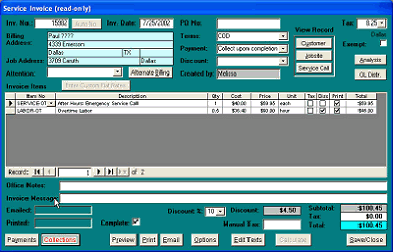
On the invoice form there is a Collections
button. In the adjacent example, the button
legend is in RED type, indicating that a
collections action has already been logged
for this invoice.
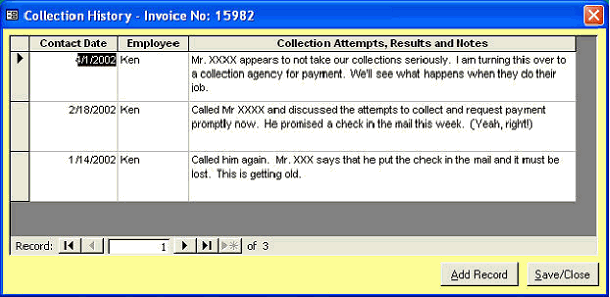
Click the Collections button to display the
Collection History form.
The Collection History form will contain a list of your recorded calls or attempts to communicate with the deadbeat
customer for the selected invoice. It will also contain a record of any Dunning Letters that you may have generated
(see Dunning Letters, above).
In this example, the company has attempted to procure payment from Mr. XXXX three times. If any Dunning
Letters had been created, they would also be listed in this history in chronological order with any other
communications. You may Add new records or close the form.
You can also review a customer’s Collections activity from the Customer Accounting form. From any customer,
click the Accounting button. The following form will appear. (see next page)
|
 |
|