


 |
 |
 |
 |
 |
|
 |
 |

Part 6 – Add-On Modules
-
5
-
Archived Sales Leads
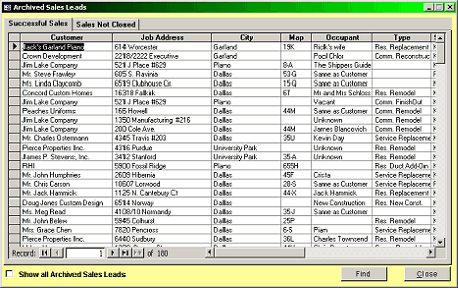
This is the Archived Sales Leads form. Notice the two tabs. They will automatically sort your archives into sales
that your company has closed and sales not closed. Or, you can show all archived sales (no tabs) by clicking the
check box in the lower left-hand
corner.
Double-click anywhere on a
selected line to view the actual
Sales Lead form for editing, un-
archiving, etc.
Any sales lead can be un-archived
(re-activated) by changing the
status in the Sales Lead form.
The Sales Lead Form
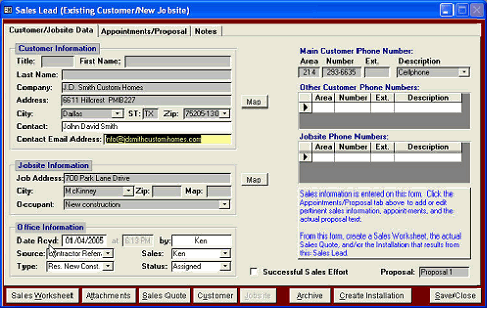
This example was created for an existing customer and existing jobsite. The Customer and Jobsite information are
grayed-out, not allowing editing. If it were a new customer or Jobsite, the information remains editable until an
installation is create. All of the customer’s vital information was filled as the receptionist talked to the potential
customer on the phone.
The upper and middle left-
hand side of the form contains
the pending customer and
jobsite information.
The lower left-hand of the
form contains your internal
office information. The Time,
Date, and employee
information is automatically
filled by the system.
The Sales field and Status field
are key fields for system
operation. Certain conditions
are required by the system for
proper routing and tracking
Sales Leads. The system will
prompt for the proper filling of
these fields.
|
 |
|