


 |
 |
 |
 |
 |
|
 |
 |
Part 6 – Add-On Modules
-
35 -
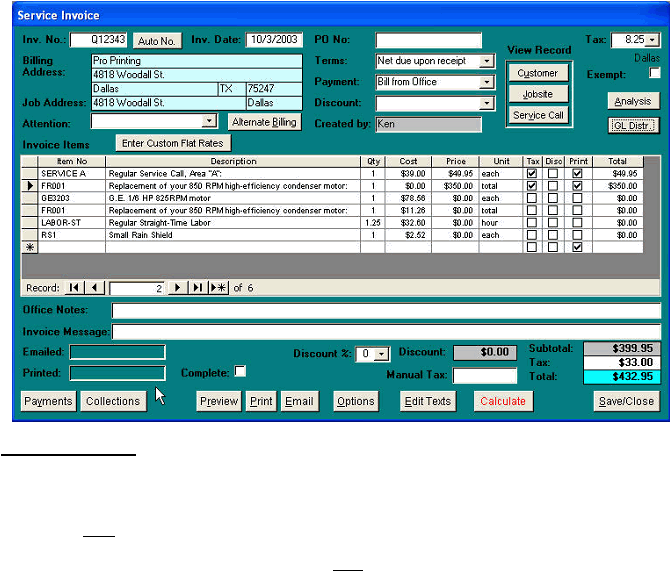
This is an example of a Service Invoice with the initiating Service Call fee, a flat-rated repair and the sale of seven
pounds of refrigerant.
Invoice Parameters:
1)
The Flat Rate Repair should have a “Price” but no “Cost”
2)
Flat Rate Repairs will have the Print column checked. Only those items checked will print on your invoice. You
should not print the items that make up the repairs.
3)
All Items that make up the Flat Rate Repair will be listed directly below the Repair item.
4)
All repair Items will have a “Cost”. The “Price” should remain zero. This is for proper revenue analysis
calculation.
5)
Sales Taxes and Discounts are only calculated on the Price column (multiplied by the Qty column).
|
 |
|