


 |
 |
 |
 |
 |
|
 |
 |
Part 6 – Add-On Modules
-
3
-
The salesperson keeps his/her appointment with the
customer and records the customer’s needs, desires,
and thoughts on the printed Sales Worksheet form.
This is to become the basis for the actual sales
proposal
Upon returning to the office, the salesperson begins
creating the actual Sales Quotes. Using the
information gained during the jobsite preview, an
unlimited number of Quotes can be generated. The
proposal text can be written or copied from Quick
Text and saved in the Proposal field of the Sales
Quote form.
This step is required for the system to calculate
pricing for the job. It is also the basis for job costing
and pick list creation when the sale is closed. Items
can include labor, parts, special services, sub-
contracted items, etc. These are obtained from your
company’s list of invoice items or pre-established
Templates. Accuracy here can save money and aid
efficiency within your installation office.
If you sell humidifiers, air cleaners, electrical
disconnects, etc. (and wish to offer these items as
options or add-ons) they should be entered at this
time. In the final sales quotes, these items will be
listed separately from the base installation. They are
initially priced at your company’s predetermined
prices. The prices can be edited, if desired. The
retail price of options and add-ons is added onto the
calculated base installation price.
The operator can manipulate costs, margins, pricing,
etc. to arrive at the actual quote price for each
proposal to be presented to the customer.
Quantrac 2005 will create an actual sales proposal
for your customer based on the selected Sales Quote.
It will exclude pricing items that you may not wish
the customer to see. It includes a copy of your site
preview notes and the proposal text. Presentation of
your company’s proposals will be unique, complete,
accurate, and professional.
To access this feature, click the Sales Leads button on the Main Control Form. The following form will be
displayed.
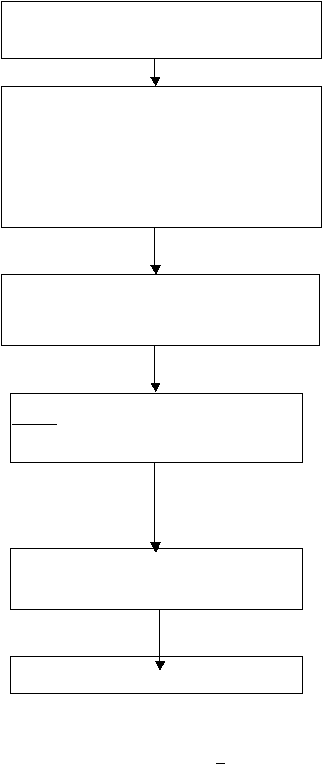
Sales Representative visits the jobsite and records the
site preview notes and observations on the printed
Sales Worksheet.
Sales Rep returns to the office and enters notes and
observations in computer Sales Lead form in Quantrac
2005 for permanent records. Quotes for “good, better,
best” can be created as well as separates quotes for
packages that include specific options. Then, the text
for the formal proposal is entered in the Proposal field.
This is a free-form unlimited text field. Quick Text is
available.
Sales Rep can enter every item into the quote(s) to be
used in the installation by hand or use a pre-conceived
Template. The system computes sales price based on
the entered item’s costs.
Sales Rep enters items and pricing for optional
add-ons for the Sales Quote(s). The system uses
the selling price based on the entered item’s
established retail price.
Using the Quote Calculator, the final prices of the
installation, options, and add-ons and applicable
tax is calculated for each Quote.
Review and then print the final sales proposal(s)
for your customer.
|
 |
|