


 |
 |
 |
 |
 |
|
 |
 |
Part 6 – Add-On Modules
-
23 -
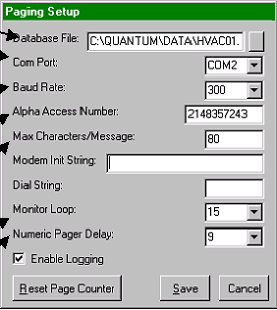
The Modem Init String and Dial String are usually not required. Most modern modems are fabricated to standards,
which makes these settings unnecessary. Leave them blank.
The Numeric Pager Delay compensates for the time for your paging service to answer the telephone and prompt the
user to leave a number after the tone. Usually 6 – 10 seconds is required, depending upon your paging service.
Trial and error will result in the most reliable time delay.
You may log all pages by clicking the Enable Logging checkbox. The log can be viewed by double-clicking
clicking on “Paging Log” in the Quantum directory in the system on which the communications program is running.
Since Quantrac 2005 also keeps a log of pages attempted and sent, we recommend that you do not Enable
Logging…as it will consume disk space needlessly.
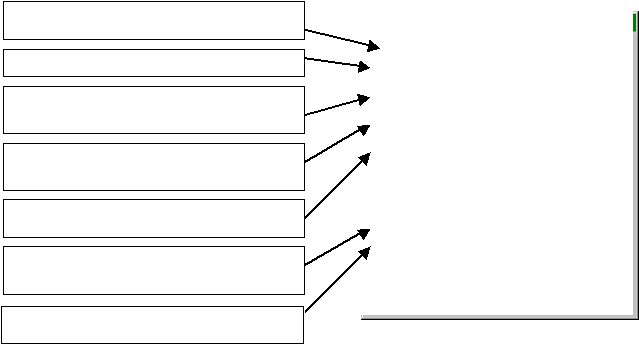
Enter the HVAC Data location (listed in Quantrac
2005 menu bar ‘Help’ & ‘About’.
Enter your hardware Com Port from the list.
Enter the Baud Rate. Note: 300 Baud or 1200 baud
seems the most widely accepted by paging services.
The Alpha Access Number is the communications
phone number of your service provider.
The maximum characters per message is specified by
your service provider. Enter the value here.
The Monitor Loop specifies the number of seconds
between monitoring Quantrac 2005 for submitted
pages.
Adjust the Numeric Pager Delay to compensate for
telephone access time, ring time, answer time, etc.
|
 |
|