


 |
 |
 |
 |
 |
|
 |
 |
-2-
Part 6 – Other Features and Functions
Sales Leads and Proposals
Overview
This feature is included with Quantrac 2005 Professional. It is also available as an add-on option for Quantrac 2005
Standard edition.
Quantrac 2005’s Sales Lead/Sales and Quote module is a fully integrated feature, which allows you to create sales
leads for existing and prospective customers. The Sales Lead may be tracked from first contact with your
prospective customer with the generation of a Sales Lead; through generation of an unlimited number of Sales
Quotes, through the Installation process with attached Service Calls and Installation Assignments. The sales effort,
composition and presentation of multiple Sales Quotes, Job Costing, Installation, Serviced Calls, Preventive
Maintenance Contracts and Visits, etc. are all fully integrated.
Finally, after a Sales Lead has been archived, it is automatically divided between “Successful Sales” and “Sales Not
Closed” for sales closing ratio calculation.
With this module, you can also generate an infinite number of Sales Quotes for any Sales Lead and print formal
Sales Proposals. If you subsequently close the sale, the system will create the Installation from the Sales Lead and
selected Quote. If that function is chosen, the system will automatically generate a Job Cost from the sales quote’s
itemized data. The text for Sales Quotes can be derived from Quick Text; thus streamlining and standardizing the
entire process.
By itemizing every part necessary for a job (including labor) within the Sales Quote, you are much less likely to
overlook costs.
You can also create and save “Templates,” which allow you to quickly generate standard sales quotes and avoid the
tedious task of reentering commonly used parts and services.
Print options include an internal “Sales Worksheet” (a list of all sales quote information) and the formal customer
Proposal.
Creating a Sales Lead
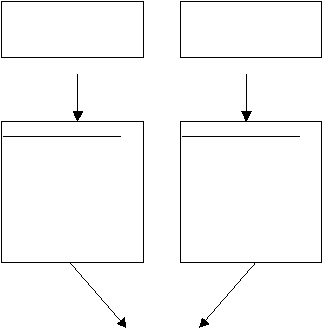
The normal progression from initial customer contact to sales proposal creation is depicted in the following flow
chart:
Business activity usually begins with a telephone
call, walk in customer, email, or some other
communications between a potential or existing
customer and your office.
An example would include your office receptionist
obtaining potential customer information, gained
from a telephone call. Or, your salesperson may
initiate the Sales Lead. In any case, a new Sales
Lead form should be completed for each potential
sale. This information will be retained in Quantrac
2005 until manually deleted.
New customer wants a
quote for an HVAC
installation
Existing customer
wants a quote for an
HVAC installation
Create a Sales Lead.
Enter the potential
customer and jobsite
information. Record
the sales appointment
and print sales
worksheet for field
evaluation.
Create a Sales Lead.
Locate the existing
customer and jobsite.
Create new Jobsite if
applicable. Record
appointment and print
sales worksheet for
field evaluation.
|
 |
|