


 |
 |
 |
 |
 |
|
 |
 |
-10-
Part 6 – Other Features and Functions
Using Sales Quote Templates
The Sales Lead/Sales Quote module has a powerful template feature, which allows you to create a “standard” sales
quote and save it as a template for future use. For example, if you use the same basic parts and services in many of
your jobs, such as tract home installations, this feature will save you considerable time. Also, you can copy an
existing template into a new one, combine smaller templates, and use these same templates for job costs.
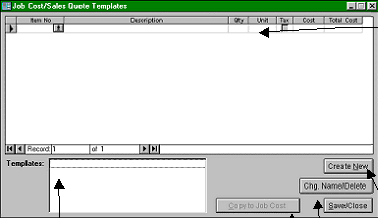
To create or access a template, click the Templates button on the Sales Quote form to display the following form :
If you close the sale and create an installation from the Sales Lead, the system will insert all line items in the
Sales Lead Detail into the Job Cost form. There you can create Pick Lists and Sales Work Orders for your
installation personnel. (see Job Cost module, below)
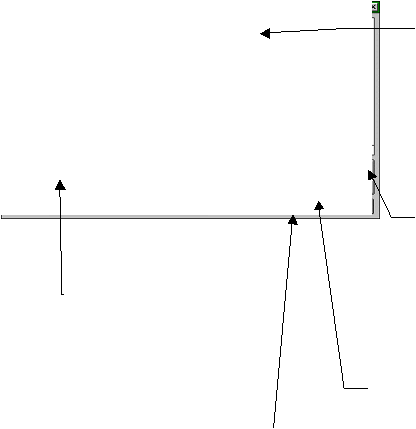
Click here to create a new
template.
Click here to delete a template or
change its name.
Once you have selected a template, click
here to copy it to your sales quote. It will
append (NOT REPLACE) any items already
in your sales quote. This allows you to add a
template to an existing sales quote and/or
add two or more templates to one sales
quote.
A list of your existing templates will
appear here. Move your mouse
pointer to the desired line, and
click.
As noted above, invoices,
sales quotes and job costs
use the same “invoice
items.” To insert items into
your template, either (1)
click the Invoice Items
button on the toolbar; or (2)
move your mouse pointer to
the next blank line in this
section, and double-click.
You may alter the text, cost,
and price, as you desire.
|
 |
|