


 |
 |
 |
 |
 |
|
 |
 |
Part 4 – System Administration - 5 -
and confirms that the Attachments and Direct Mail database files are in their proper location.
Each of the functions of this form is described (in detail) in the headings on the following pages.
Database Maintenance, the Main Database
As your main database (Hvac01.dat) is accessed by HVAC Office, records within the database file are created,
edited, moved, deleted, etc. During these normal processes, the internal data structure is modified and altered in
response to your commands and actions. We recommend regular normal maintenance of a data file, consisting of a
preventive structure check and compaction. The purpose of HVAC Office Database Maintenance is to check and
repair any database structure errors, and to then to compact the database for quicker access. For this reason, you
should run the Database Maintenance program on a weekly basis. Furthermore, if you experience a computer crash,
power outage, or any other abnormal operation with HVAC Office, you may run Database Maintenance program to
insure the integrity of your company’s data.
1.
Start the HVAC Office Database Maintenance program (see the previous
page)
2.
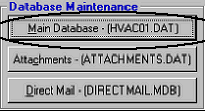
Click the top button, Main Database (Hvac01.dat)
3.
Ensure that all systems on the network have closed HVAC Office. Click ‘Yes’
4.
The system will make a compressed copy of your data and save it in your
Quantum\Backup directory. The progress will be indicated at the bottom of
the form. (See Important Note below)
5.
Normal completion of the backup will be reported. Click ‘OK’
6.
The program will now check the integrity of your database, repairing any repairable errors or problems. Upon successful
completion the system will report, “Repair of database (path) completed successfully.” Click the OK button.
7.
The program will begin compacting the database. Upon successful completion, “Maintenance Complete” will be reported.
Click the OK button.
8.
The HVAC Office Database Maintenance form will again be displayed for you to close or run one of the other functions.
Abnormal Completion
If, for any reason, database maintenance does not complete normally, or if it reports corruption / un-repairable errors,
please call Quantrac Corporation for technical support.
Important Note: We have added the compress/copy routine (step 4 above) to database maintenance for your
data’s protection in case of failure of Database Maintenance. Please understand this built-in protection routine:
Each time you run Database Maintenance Main Data, the system creates a compressed backup of your data
prior to repair and compact. The first time you do this, it creates Hvac01.001. The second time, Hvac01.002
and so on through Hvac01.004. In other words, the system retains up to four copies of your data, just prior to
the repair/compact functions. The fifth time you run Database Maintenance Main Data, the system deletes
the (oldest) 001 file and renames the 002, 003, 004, to 001, 002, 003 (respectively). It then creates a new
Hvac01.004. If you run Database Maintenance each day, the system retains these compacted data files for
the previous four days. For this reason, we recommend that you only perform database maintenance
once per day! In fact, if you experience problems that database maintenance does not appear to fix, please
call us at Quantrac Corporation for technical support before running successive maintenance. If you have
now run Database Maintenance more than once since experiencing problems, We can usually recover your
data from one of the four compressed backup copies.
Database Maintenance, Attachments
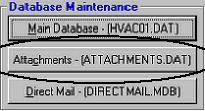
As you store, edit, or delete Attachments (Attachments is an optional feature of HVAC Office), records within
the attachments database file are created, edited, moved, deleted, etc. During these normal processes, the internal
data structure of Attachments.dat is modified and altered in response to
your commands and actions. We recommend that you run the Database
Maintenance Attachments program on a monthly basis. Furthermore, if
|
 |
|