


 |
 |
 |
 |
 |
|
 |
 |
-
34 Part 3 - Using Quantrac 2005
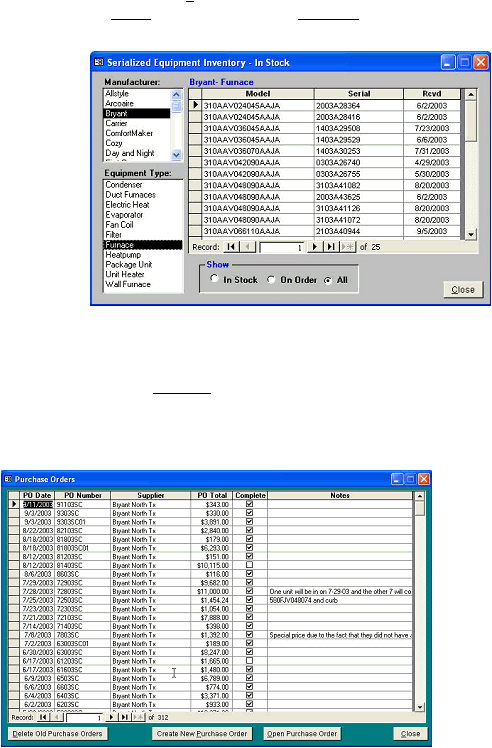
The following form was displayed by clicking the Serialized Inventory button on the Equipment form. In this example,
we have selected the manufacturer, Bryant, and the equipment type, Condenser by clicking the left mouse button with
cursor on the selected words in the list.
1.
Select the manufacturer
from the list. In this case,
we have selected Bryant.
2.
Select the equipment type
from the list. Here, we have
selected Condenser.
3.
In this example, we are
displaying equipment that
we have “In Stock”.
Twenty-five Bryant
Furnaces are shown in our
storeroom with the dates
received.
4.
To show equipment on
order, but not yet received,
click the On Order selection
at the bottom of the form.
Close the form when finished.
Note: A complete inventory list is available in the reports section of Quantrac 2005. Click the View and Print
Reports button on the toolbar and select Inventory from the list.
This form was obtained by clicking the Purchase Order button on the Equipment form. A list of all Purchase orders
(sorted with the latest at the top) is displayed here. From this form you can open an existing P.O. or create a new
one. Here, two P.O.’s are shown.
|
 |
|