


 |
 |
 |
 |
 |
|
 |
 |
-
10 Part 3 - Using Quantrac 2005
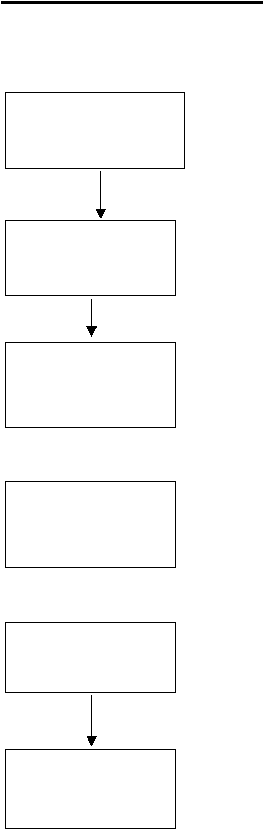
A service call is received
and entered into the sys-
tem by either your recep-
tionist or service manager
The call appears in your
service scheduler for a
particular date, time of
day, and employee.
When the scheduled time
arrives, (or as you wish)
you may dispatch the
employee(s) to the call.
When the employee(s)
arrive at the jobsite, you
may log the arrive time(s).
This signifies that on-site
labor begins.
Upon completion of the
work at the jobsite, you
may record the Finish
time.
Close the Service Call.
You may now Archive,
Leave Open, or Hold this
call.
Service Call Flow
Quantrac 2005 completely manages your service calls for you, from when they are received until they are archived.
This section begins with the typical flow for service calls, from the first customer call to final billing and archival.
Using this service call flow will assure that all calls are serviced and billing processed. You may find that
a)
The call can be pre-assigned to an employee at this time, if you wish
b)
The call can be scheduled for today, or any day in the future
c)
The call can be scheduled for a particular time of day
a)
You can advance ahead of the present day to preview future commitments
b)
You can view any call in the scheduler by double-clicking on the selected line
c)
You may edit any part of a service call directly from the scheduler
d)
You may reschedule the service call as the need arises
e)
If not previously assigned, you may assign one or more employees here
a)
Dispatching removes the assigned employee(s) from the availability list
b)
Upon dispatching, the system is accumulating travel time for that employee
c)
You may dispatch different employees at different times of day
d)
The system keeps track of “travel time” of each employee for each call
a)
Recording the arrive time ends the accumulation of travel time
b)
The system accumulates “Labor” time on the job
c)
You may record each employee’s labor time from the service call scheduler
a)
You may record the Diagnosis and Repair now, or wait for employee paperwork
b)
You may add any other comments, data, notes, etc
a)
Option 1: Normal procedure, Place on Hold
b)
Option 2: Leave the call open if you plan a return trip today
c)
Option 1: Archive the call if there is no billing or future work required Option
|
 |
|